Building a Website with Claude Code: What Our First Training Session Taught Us
By Jim Chetwode · 11 June 2026
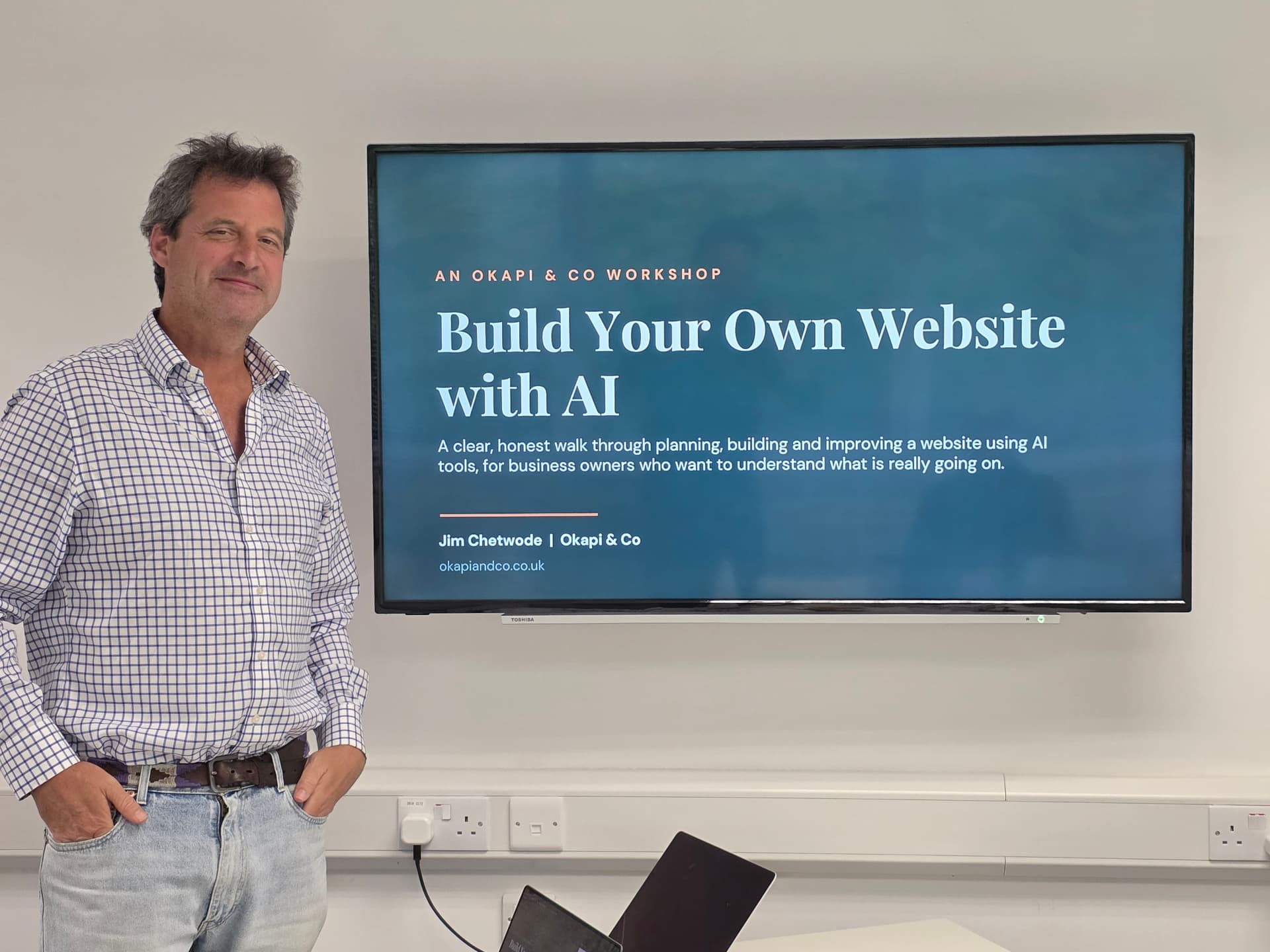
We ran our first Build a Website with Claude Code workshop in Shaftesbury. Here is how it went, the tools we used, and an honest lesson before you try it.
This week we ran our first "Building a Website with Claude Code" session. It was a three hour workshop here in North Dorset, and it gave me as much to think about as it gave the people in the room.
The group was not made up of beginners. Most had built websites before and wanted to see, honestly, how this approach compares to the tools they already know like WordPress and Squarespace. That made for a brilliant session. As the trainer I was learning from them while they learned from me, and that is usually when the best conversations happen.
We started with how to use AI properly, not just how to build
Before we touched a single part of a website, we spent time on the plan. Most people in the room already used AI, but not as well as they could, so we covered a few things that make a real difference.
The first was the humble markdown file. A markdown file is just a simple text document with light formatting. It sounds dull, but it is one of the most useful habits you can build. You use it to plan your project and to hand Claude Code a clear, structured brief. A clear brief means fewer messages back and forth, which means a better result and lower cost.
That word cost matters, and it comes down to tokens. A token is roughly a chunk of text that the AI reads or writes, and it is effectively what you pay for in time and money. We looked at a couple of simple ways to keep that down. One is switching to a smaller, cheaper model for the simple jobs and saving the powerful model for the hard thinking. The other is letting Claude offer you tappable answers in bullet form, so you are choosing from options rather than typing long replies. Every character you type is a token, so this adds up over a session.
The chain: from idea to a live website
Next we walked through the chain of actually putting a site together.
We had no designer in the room, so we used Claude Design, which you will find at claude.ai/design. We gave it the plan we had spent time creating, plus a markdown file holding all the branding: the logos, the fonts, the colours, and a set of rules for what the build could and could not do. That last part is important. We told it plainly not to invent things, and if it did not know an answer, to ask rather than guess. That keeps hallucinations down and keeps you in control.
For our example we used a real local business as our dummy data, which kept everything grounded in something real.
Claude Design came back with three options in wireframe form, with placeholder images. We picked a direction and handed it off to Claude Code to build.
While that was running, we talked through the parts that sit around the website itself:
- The CMS, which is the system you use to edit your content. You can design your own, or use something like Sanity or Notion. If your site needs event listings or calendar features, a database like Neon is worth a look.
- GitHub, where your code lives, and the security settings that matter there.
- Vercel, which takes your code from GitHub and puts it online. Connect that to your domain and you have a live website.
By one o'clock we had a fully functioning website, built in the room.
Adding skills, including an automatic site review
To finish, I showed everyone how to add skills to Claude. A skill is a reusable set of instructions you can call on again and again. Before the session I had built one that reviews a website for SEO, security, and functionality, including things like social sharing. It even checks whether you have a featured image for when a page is shared on social media, and in our case it generated one for us, which was a nice moment to end on.
The honest takeaway
Here is the thing I want to be straight about. This course is not for beginners.
To get the most from it you need a fair grasp of AI and a better understanding of websites than the average person, including a little about hosting, domains, and SEO. Yes, anyone can build a website with AI now. But building one this way is much faster and gives a genuinely good result only if you already know what you are talking about.
That, for me, is the general truth about AI. Whatever you are using it for, if you do not understand your subject you will struggle, and your results will be weaker than those of someone who does. AI rewards people who know their field. It does not replace that knowledge.
What is next
It was a great session for learning how to use AI to build websites and apps, and a great way to get to grips with how websites actually work. We will be running more courses soon, including sessions focused purely on using Claude, Claude Cowork, and Claude Code.
Keep an eye on this space, and email me if you would like more information.
Tagged: News, Tutorial.

Jim Chetwode
Founder, Okapi & Co · Shaftesbury, Dorset
Thirty years in digital marketing, now spent on how businesses get found in Google and cited by AI assistants. Chairman of the Shaftesbury and District Chamber of Commerce, Dorset Ambassador, and the person who runs the AI workshops.