
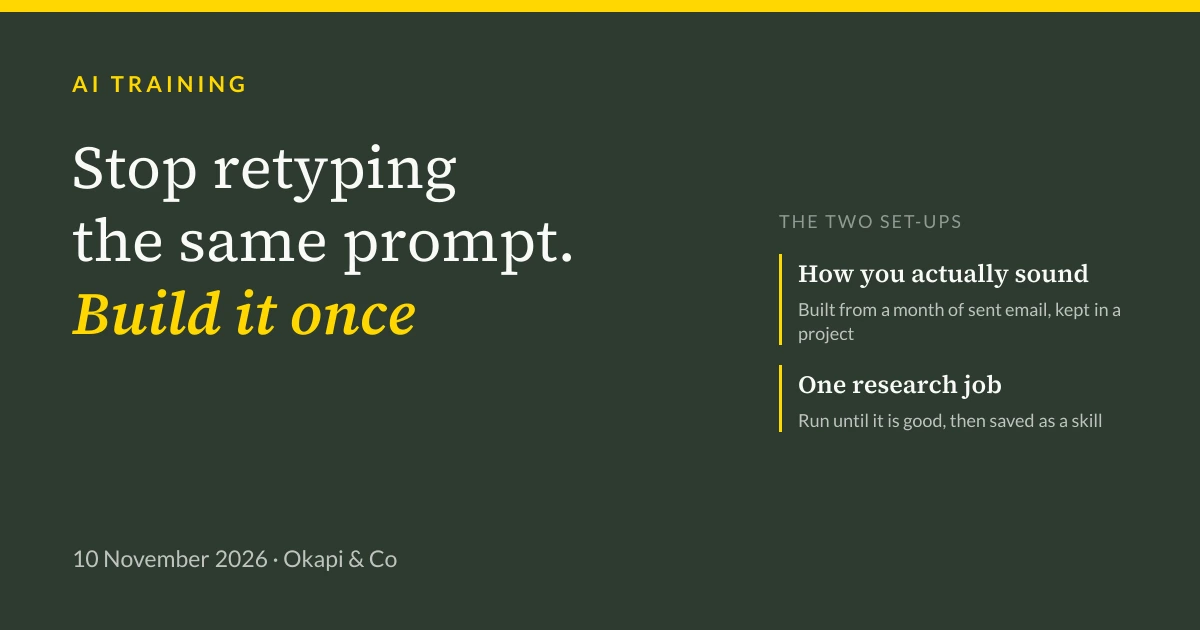
Last week we trained three businesses in the Shaftesbury area on Claude. Everyone arrived worried about privacy and their jobs. Here are the two set-ups they left with, including the prompts, and why both are better as a project than a one-off chat.
Last week we delivered Claude training to three businesses around Shaftesbury. Two are sizeable e-commerce brands. The third is a financial services company. All three had already bought Claude and all three had got stuck in roughly the same place: a few people using it like a search engine, nobody quite sure what else to do with it.
Every session opened the same way, with the same two worries.
The first was privacy. Entirely reasonable, and sharper for the financial services team than for the others. We deal with that before anything else, because people cannot concentrate on the useful part while they are wondering whether they have just leaked something. We have written up how we handle the settings and the ground rules and that is where any sensible rollout starts.
The second worry was jobs. Nobody says it in the first ten minutes, but it is in the room.
What shifts it is not reassurance. It is doing the work. Somewhere in the first hour, people stop thinking about AI in the abstract and start thinking about Tuesday afternoons, and the thing they do every Tuesday afternoon that they have always hated. Once somebody says that out loud, the mood changes completely. By the end of the session the question is no longer whether this takes work away. It is which bit of their week they would most like to stop doing.
So this is about the two set-ups those teams left with. Both are ordinary. Both took about twenty minutes to build. Both are worth more than a hundred clever one-off prompts, for a reason we will come to.
Set-up one: teach it how you actually sound
Most people's first attempt at getting AI to write an email produces something that reads like a press release. You can fix that by describing your tone of voice, but you will describe how you think you write, which is not the same thing.
Better to look at the evidence. Connect Claude to Gmail, then ask it to read a month of what you have actually sent.
Here is the prompt. It is deliberately plain, and you should change it to suit how your business works.
Search my Gmail for messages I have SENT in the last calendar month.
Ignore anything automated: receipts, newsletters, calendar invites,
system notifications.

Read them and tell me how I actually write, not how I think I write.

1. Group the recipients into the types of people I deal with
   (for example: new enquiries, existing customers, suppliers, my own team).
2. For each group, describe:
   - how I open and how I sign off
   - how formal or informal I am, with examples
   - typical sentence length, and whether I use bullet points
   - words and phrases I use often
   - how I say no, how I chase something, how I apologise
3. Quote three short real examples for each group.
4. Tell me where I am inconsistent, and where that inconsistency is a problem.

Do not invent anything. If you only have one or two examples for a group,
say so rather than generalising.
The last line matters more than it looks. Without it you will get confident conclusions drawn from two emails.
Why a month, and not everything. Someone always asks why we do not just say "read all my emails". Partly because you would be asking it to work through twenty thousand messages to learn something a hundred will tell you. That is slow and it costs more. Mostly, though, a month is simply better evidence. It reflects how you write now, not how you wrote during a reorganisation three years ago. If your business has a strong seasonal swing, run it twice, in a busy month and a quiet one, and compare.
What comes back is usually uncomfortable in a useful way. One of the e-commerce teams found they were warm and specific with customers and borderline curt with their own suppliers. Nobody had intended that. They just had not seen it written down before.
Then do the part most people skip. Take that output, tidy it, and put it into a Project.
A Project in Claude holds instructions and reference material that apply to every conversation inside it. The alternative is re-explaining your tone of voice at the start of every chat, which nobody keeps up for more than a fortnight. Build one called Email Communications, paste in what the analysis found, and every draft from then on starts from how your business actually sounds.
We have written a template for those project instructions, with the gaps marked, so you are not staring at an empty box. Take a copy.
Set-up two: turn one research job into a skill
The second set-up came out of a conversation we have with nearly every sales team: can AI help us sell more?
Not really, if what you mean is writing the emails. It can help enormously with the part nobody enjoys, which is finding the right people to approach in the first place.
For both e-commerce brands that meant stockists. Independent retailers who would actually suit the brand, in a given town or region. It is a job that takes a good afternoon per territory, it is repetitive, and the quality depends almost entirely on how well the person doing it understands the brand.
Which is exactly what a Project is for. Make one called Stockist Search and fill it with context:
- what you sell and roughly what it costs
- who buys it, and who does not
- stockists you already have, and specifically why each one fits
- shops you have turned down, and why
- any territory, exclusivity or margin rules
- what a good retailer looks like to you: the feel of the place, the other brands they carry
The more honest the rejections, the better this works. "Not a fit" teaches it nothing. "Too discount-led, sits next to supermarket brands" teaches it a great deal.
Then run a search. When you have run three or four and the results are genuinely good, stop rewriting the prompt each time and save it as a skill, so you can call it with just a place name.
/stockist-search SalisburyThe skill behind it looks something like this:
Find independent retailers in {place} that could credibly stock us.

Use the brand, customer and stockist notes in this project as the standard.
A shop that does not meet that standard should not be on the list, even if
it leaves the list short.

For each one, give me:
- name, town, website
- why it fits, pointing at something specific on their site or socials
- anything that suggests it would not fit
- the best contact route you can actually find
- how confident you are, and what you could not verify

Twelve at most, best first. Do not include a shop with no website and no
active social account. Do not guess at an email address.
Two things make this worth the twenty minutes. You stop retyping a long prompt and getting slightly different results depending on how you phrased it that morning. And when a batch comes back weak, you have something to fix: you edit the skill, and every future search inherits the improvement. A prompt you retype from memory never gets better.
That is the real argument for both set-ups. A good one-off prompt helps you once. A project and a skill compound.
The bit that still makes people laugh
There is a moment in every one of these sessions. Someone asks for a reply to a customer, and the draft appears in their own Gmail, and they sit back and say something like "oh, that's actually there".
It reminds us of the first time any of us saw an email arrive. A small, slightly absurd piece of magic that is completely ordinary a fortnight later.
And that is the useful part. Within about ten minutes, nobody is impressed any more, and the question becomes what else could work like this. That is the point where a business starts getting value out of AI, and it is almost always sooner than people expect.
If you want help with this
We do this work with businesses across Dorset, Somerset, Wiltshire and Berkshire: getting the privacy settings right, then building the few set-ups that actually earn their keep for how that business works. If that would be useful, have a word with us or look at what our AI training covers.
If you would rather send someone to learn it alongside other local businesses, that is what our workshops are for. We are running more in the new year, including Salisbury and Dorchester, and the current dates are on that page.
Tagged: Guide, Claude, AI training, Automation.

Jim Chetwode
Founder, Okapi & Co · Shaftesbury, Dorset
Thirty years in digital marketing, now spent on how businesses get found in Google and cited by AI assistants. Chairman of the Shaftesbury and District Chamber of Commerce, Dorset Ambassador, and the person who runs the AI workshops.